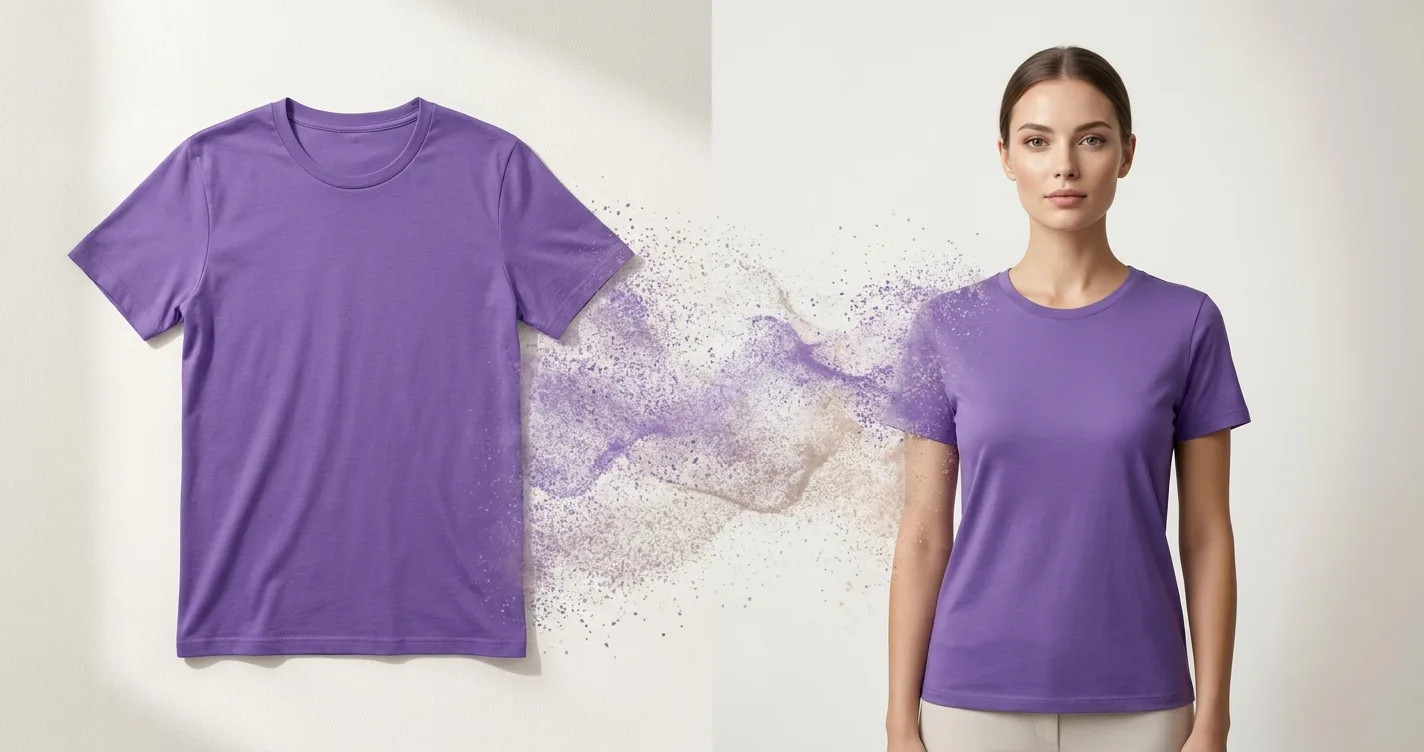
Why Shopify Stores Need Professional Product Photos
In the competitive world of e-commerce, product photography can make or break your sales. Studies show that products with professional photos sell 30-40% more than those with amateur images. However, traditional photo shoots with real models can cost thousands of dollars per session.
For Shopify store owners, especially those just starting out or operating on tight budgets, hiring models and photographers isn't always feasible. That's where AI-powered virtual try-on technology comes in.
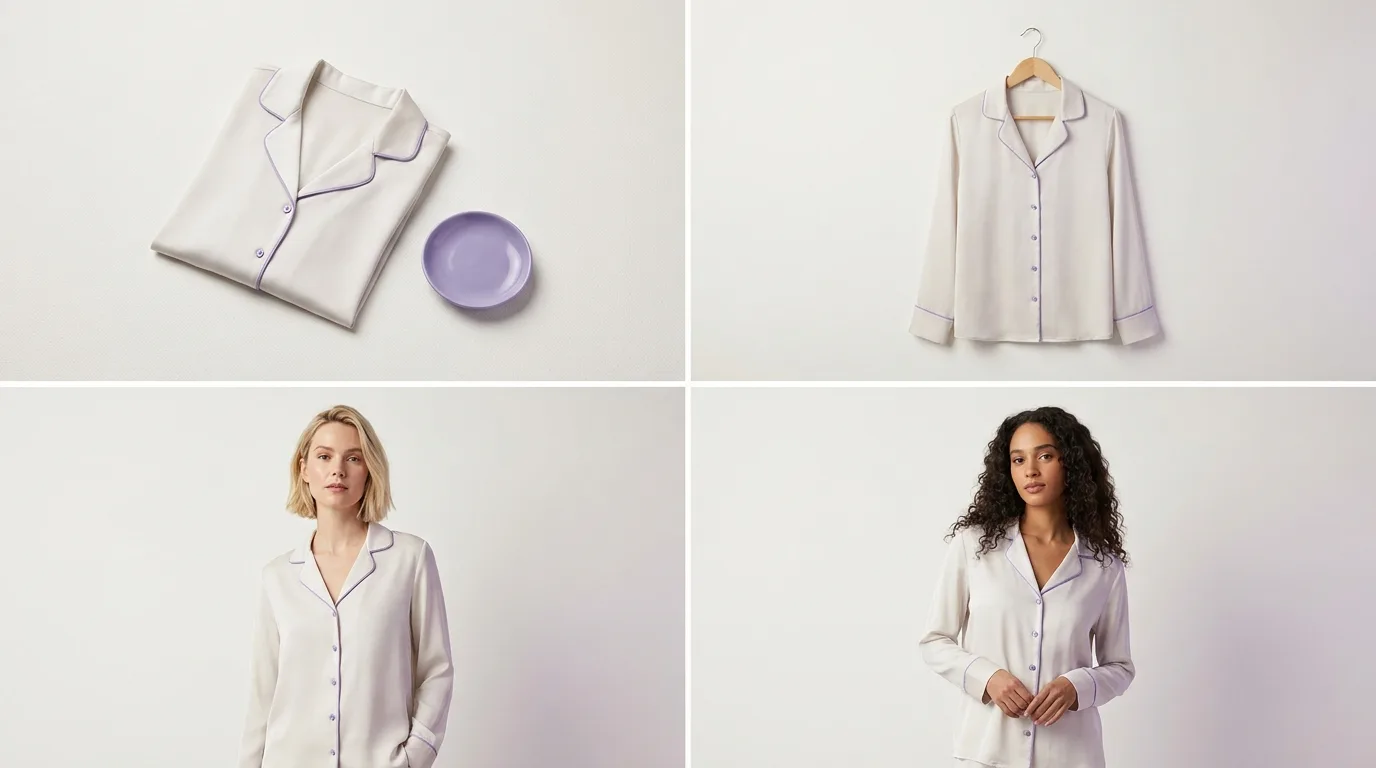
The Cost Problem with Traditional Product Photography
Traditional product photography for e-commerce typically involves:
- Hiring professional models: €200-500 per day
- Photographer fees: €300-800 per day
- Studio rental: €100-300 per day
- Hair and makeup: €150-300
- Wardrobe styling: €200-400
- Post-production editing: €50-150 per image
Total cost per photoshoot: €1,000-2,500+
For a Shopify store with 50 products, that's €50,000-125,000 just for initial photography. And that's before you need to update seasonal collections or add new products.
The Solution: AI Virtual Try-On for Product Photography
AI-powered virtual try-on technology allows you to create professional product photos without any of the traditional costs. Here's how it works:
- Upload your product images - Simply photograph your clothing items on a hanger or flat surface
- Select AI models - Choose from a catalog of professional AI models in various poses
- Generate professional photos - The AI automatically maps your product onto the model with realistic fit and appearance
- Download and use - Get high-resolution images ready for your Shopify store
Benefits for Shopify Store Owners
1. Massive Cost Savings
Instead of spending €1,000-2,500 per photoshoot, you can create unlimited professional product photos for a monthly subscription starting at €29.99. For a store with 100 products, that's a savings of over €100,000 compared to traditional photography.
2. Unlimited Variations
With traditional photography, you're limited by the number of poses, backgrounds, and styles you can shoot in one session. With AI virtual try-on, you can generate:
- Multiple poses for each product
- Different backgrounds and styles
- Various model types and demographics
- Seasonal variations without re-shooting
3. Speed and Flexibility
Traditional photo shoots require scheduling models, photographers, and studios weeks in advance. With AI virtual try-on, you can create professional product photos in minutes, allowing you to:
- Launch new products immediately
- Update seasonal collections quickly
- Test different visual styles
- Respond to trends faster
4. Consistency
AI models provide consistent appearance across all your product photos, ensuring a cohesive brand image throughout your Shopify store.
How to Use Virtual Try-On for Your Shopify Store
Step 1: Prepare Your Product Images
Start with clear, well-lit photos of your clothing items. You can photograph them:
- On a hanger against a plain background
- Flat lay on a white surface
- On a mannequin
The better your base image, the better your final result will be.
Step 2: Choose Your AI Models
Select AI models that match your target customer demographic. Consider:
- Age range
- Body type
- Style preferences
- Gender
TryClothesMagic offers a catalog of professional AI models specifically designed for e-commerce photography.
Step 3: Select Poses and Styles
Choose from various poses optimized for product photography:
- Front-facing (ideal for product pages)
- Three-quarter view (shows fit and drape)
- Side profile (highlights silhouette)
- Walking pose (adds dynamism)
Step 4: Customize Backgrounds
Select backgrounds that match your brand aesthetic:
- Solid colors for clean, minimalist look
- Studio backgrounds for professional appearance
- Custom backgrounds for brand-specific imagery
Step 5: Generate and Download
Once you've configured your settings, generate your professional product photos. Download high-resolution images ready for your Shopify store.
Best Practices for Shopify Product Photos
1. Use Multiple Angles
Show your products from different angles to give customers a complete view. Include front, side, and detail shots.
2. Maintain Consistency
Use the same AI model, background style, and lighting across similar product categories to create a cohesive look.
3. Highlight Key Features
Use different poses to showcase specific features like fit, drape, or unique design elements.
4. Optimize for Mobile
Ensure your images look great on mobile devices, where most Shopify customers browse.
Real Results from Shopify Store Owners
Sarah's Boutique - A small Shopify store selling women's fashion:
- Reduced photography costs by 95%
- Increased product catalog from 20 to 150 items in 3 months
- Saw 35% increase in conversion rate after switching to AI-generated product photos
Urban Threads - A men's clothing Shopify store:
- Saved €15,000 in first year on photography
- Launched new collections 3x faster
- Improved average order value by 22%
ROI Comparison: Traditional vs. AI Photography
| Cost Factor | Traditional Photography | AI Virtual Try-On |
|---|---|---|
| Initial Setup (50 products) | €50,000-125,000 | €29.99/month |
| New Products (10/month) | €1,000-2,500/month | €29.99/month |
| Seasonal Updates | €5,000-12,500/season | €29.99/month |
| Annual Cost | €70,000-175,000 | €359.88 |
Getting Started with TryClothesMagic for Shopify
Ready to transform your Shopify product photography? Here's how to get started:
- Sign up for TryClothesMagic (free trial available)
- Upload your product images
- Browse the AI model catalog
- Generate your first professional product photos
- Download and upload to your Shopify store
- Watch your conversion rates improve!
Conclusion
Professional product photography is essential for Shopify success, but it doesn't have to break the bank. AI-powered virtual try-on technology offers a cost-effective, flexible, and scalable solution for creating stunning product photos without real models or expensive photo shoots.
By switching to AI virtual try-on, Shopify store owners can save thousands of euros while creating better, more consistent product imagery that drives sales.
Start creating professional product photos for your Shopify store today with TryClothesMagic.